CS EN
Log in

See what your child watches on YouTube.

YouTube Mentor is not a blocker. It's context. See every channel, every video, how much time they spend, and what precedes it — educational content as well as pure entertainment. Watch together with your child, or use Mentor directly for learning — push lessons and quizzes straight into YouTube. Then start the conversation differently.

Start free Watch the video

How it works — 3 steps

From signup to first data in under 5 minutes

1

Sign up

4 fields, no credit card. Free tier is forever for 1 child.

2

Send install link to child

Or give them a pairing code. Child installs the extension in Chrome / Brave on their PC with 1 click from the Chrome Web Store.

3

Watch the activity

In your dashboard (PC, phone, tablet) see every channel, time, top videos. Block channels and push lessons.

60 seconds about YouTube Mentor

How it works and what you see in the dashboard

Or watch on YouTube ▶

What Mentor does

👁 See everything

Every video, channel, start time, watch duration, pauses. Heartbeat every 5 seconds — more accurate than YouTube's own history.

🎯 Whitelist / blacklist

Approve channels your kids can watch. Or block specific problematic ones. Filter Shorts and Trending.

📚 Educational lessons

Push short lessons directly into your child's YouTube UI (climate change, math…) — they reply in-app, you see answers.

📲 SMS pairing

Send your child an SMS with a link. One click and the extension installs itself. No code copying needed.

🇪🇺 Hosted in EU

Own servers in Czech Republic, no cloud outside EU. GDPR-K compliant, age 15 per Czech law.

👪 Family Link compatible

Works standalone or as a complement to Family Link. For 13+ with own Google account or younger under supervision.

Dashboard preview

Demo account shows real 7-day log of three fictional children — Tom, Anna, Adam

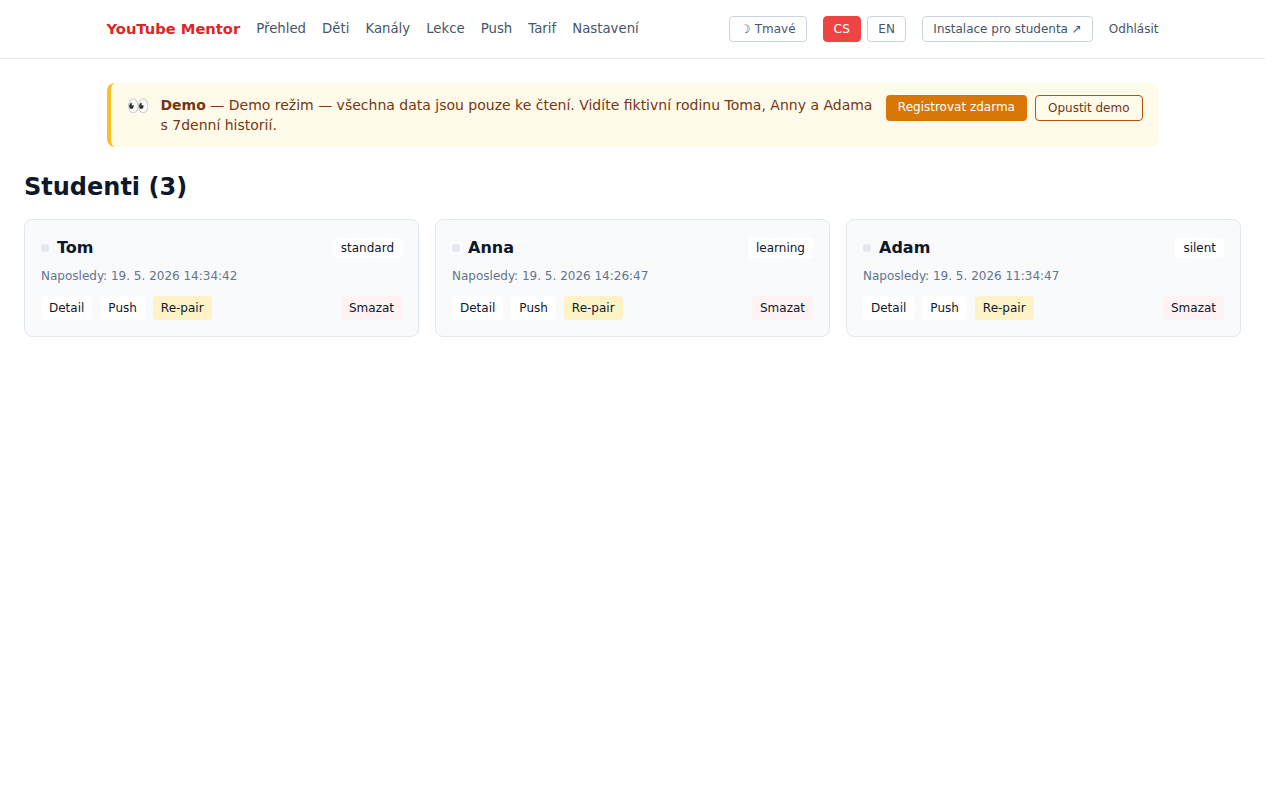
Preview - Overview

Overview

Aggregate view across all children, today's/weekly time, top channels.

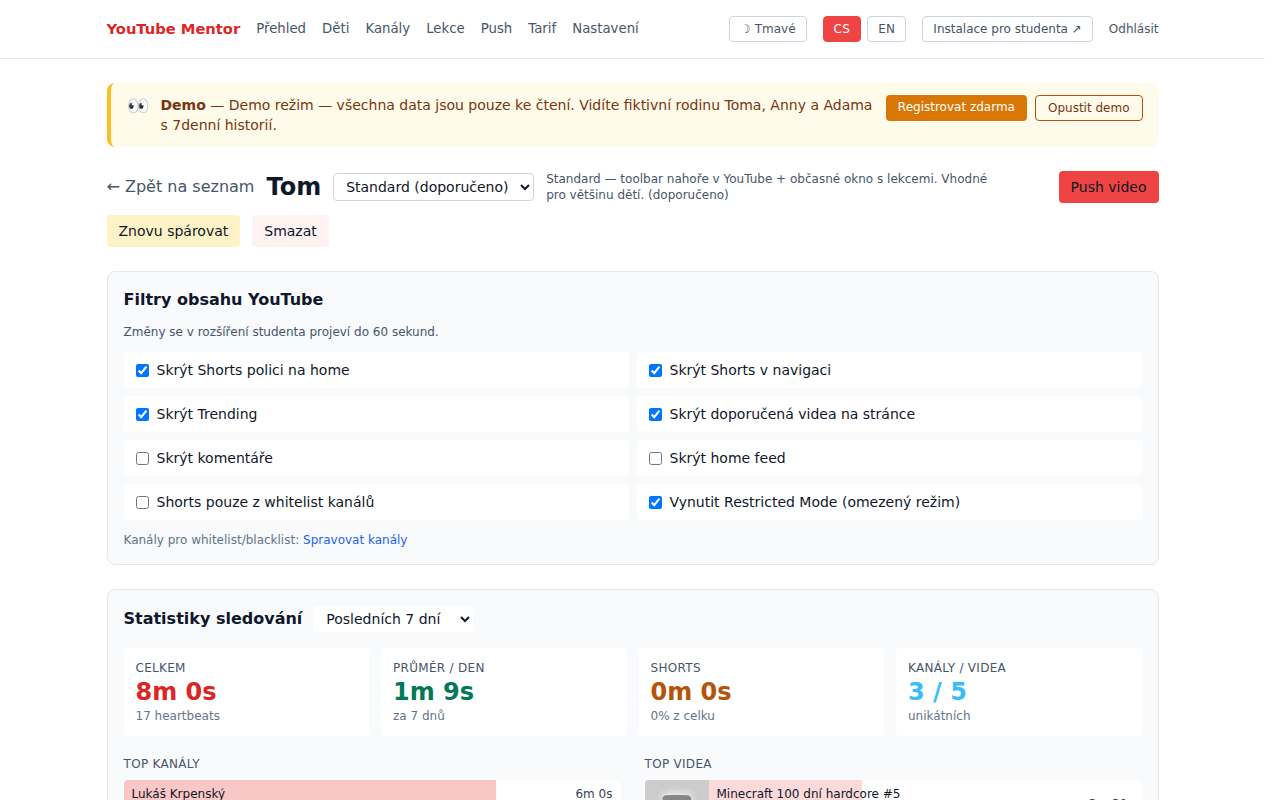
Preview - Student detail

Student detail

Timeline of views, channel stats, filter by date and content type.

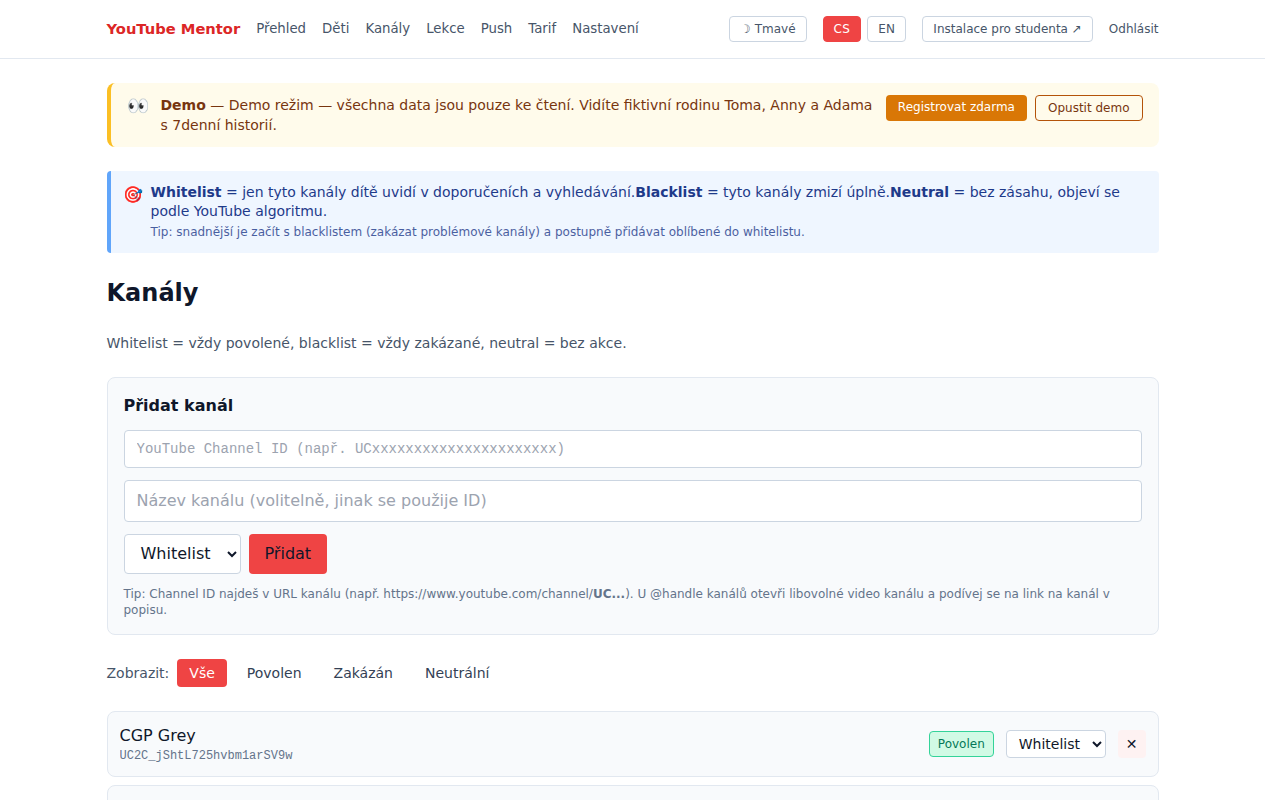
Preview - Channels

Channels

Approve, block, categorize. Auto-detection from watch history.

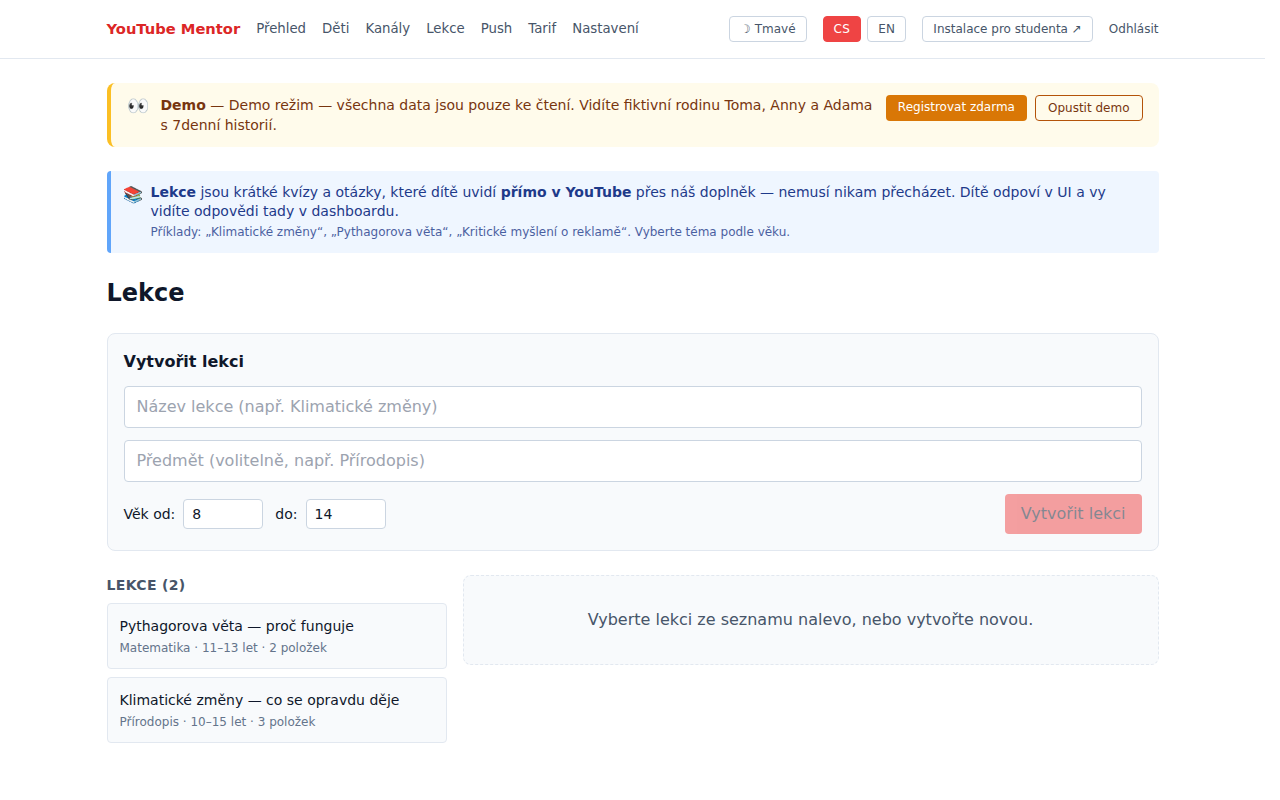
Preview - Lessons

Lessons

Mini quizzes and questions delivered into child's YouTube UI.

Pricing

Free to try, Family for typical household, School for pilot schools

Free

0 CZK / month

1 child, 7-day history, basic view. No commitment, unlimited duration.

Lifetime

2,990 CZK / one-time

Everything in Family forever. Limited to 200 licenses for early adopters.

Full pricing + School tier →
🇪🇺
EU servers

Czech Republic, own hardware, no US/Asian clouds

🛡
GDPR-K compliant

Verified parental consent (VPC) for under-15

🔐
No data selling

Not shared, no ads. Details in Privacy.

💳
Stripe payments

EU entity, auto invoice, cancel anytime

Ready to try?

Activate the Free tier in 2 minutes. No card required to start.

Start free

Frequently asked questions

Short answers to what parents ask most often

Do I need to install anything as a parent?

No. As a parent you use the web dashboard — works in any browser on PC, phone, and tablet. Only the child installs the extension in Chrome or Brave on their PC.

What if my child uses YouTube on phone or tablet?

Currently we track YouTube only on PC in Chrome/Brave. Mobile and tablet versions are planned by end of 2026. For phones we recommend combining with Google Family Link.

What if my child uninstalls the extension?

Send them a new pairing link. The dashboard shows when heartbeats stopped (last activity), so you'll see it immediately. For Chromebooks and school devices we'll have MDM policy enforcement (School tier).

Does it work with Google Family Link?

Yes. Family Link handles the whole OS and app blocking; YouTube Mentor adds deep YouTube insight (what videos, what channels, how much time). We recommend using both. The Setup wizard helps you configure.

Where is the data stored? Is it secure?

Our servers are in Czech Republic (Vinařice), no cloud outside the EU. We never sell data, no ads. HTTPS communication, passwords as Argon2 hashes. Full details in Privacy Policy.

What if I don't pay? What's in Free tier?

Free tier is forever for 1 child with 7-day history. No credit card up front. Family tier (4 children, 90-day history, lessons) is 129 CZK/month or 1,290 CZK/year. Lifetime 2,990 CZK one-time.

Can I delete my account and data anytime?

Yes. In dashboard Settings. After deletion, data leaves the database and backups within 30 days (GDPR "right to be forgotten").

Will my child know I'm watching?

It's up to you. In Standard edition they see a small "M" toolbar icon in YouTube. In Learning they see lessons and quizzes. In Silent the extension is nearly invisible. We recommend transparency (inform the child) — it builds trust.

How complex is the install?

Install is 1-click from the Chrome Web Store (approved May 22, 2026). Just click "Add to Chrome" and confirm permissions. Details and pairing steps at /en/install.

I have another question — how to contact you?

Email ladislav.kepl@gmail.com. We usually respond within 24h. The app is run directly by the author — Ladislav Kepl in Vinařice, Czech Republic.